
Areaclick allows you to run commands by clicking on the edge or corner of the screen.
There are 8 areas available: 4 corners and 4 edges of the screen. You can configure your own commands for all 8 areas.
Additionally, you can invoke the configured commands using keyboard shortcuts by pressing W-a(Super + Alt) + 1..9 (the number on the numpad).
Commands assigned by default
| Click Area | Keybind | Action | Notes |
| TopLeft | W-A-7 | toggle ShowDesktop | also W-d |
| Top | W-A-8 | Windows & Desktops menu | also W-Leftclick on desktop |
| TopRight | W-A-9 | Music menu | W-m |
| Left | W-A-4 | Left Sidepanel | also C-W-Left |
| Right | W-A-6 | Right Sidepanel | also C-W-Right |
| BottomLeft | W-A-1 | Window Switch | also W-Tab |
| Bottom | W-A-2 | Desktop Switch | also W-~(tilda) |
| BottomRight | W-A-3 | Logout Menu | also W-x |
Customization
To configure AreaClick behavior, invoke Windows & Desktops menu C-W-d -> AreaClick…
Also available via W-LeftClick on desktop.
Here you can set:
- the size of the clickable area
- the margin of the Openbox Window Manager
You can also change the commands/programs that are launched by editing the configuration file (Edit areaclick.conf).
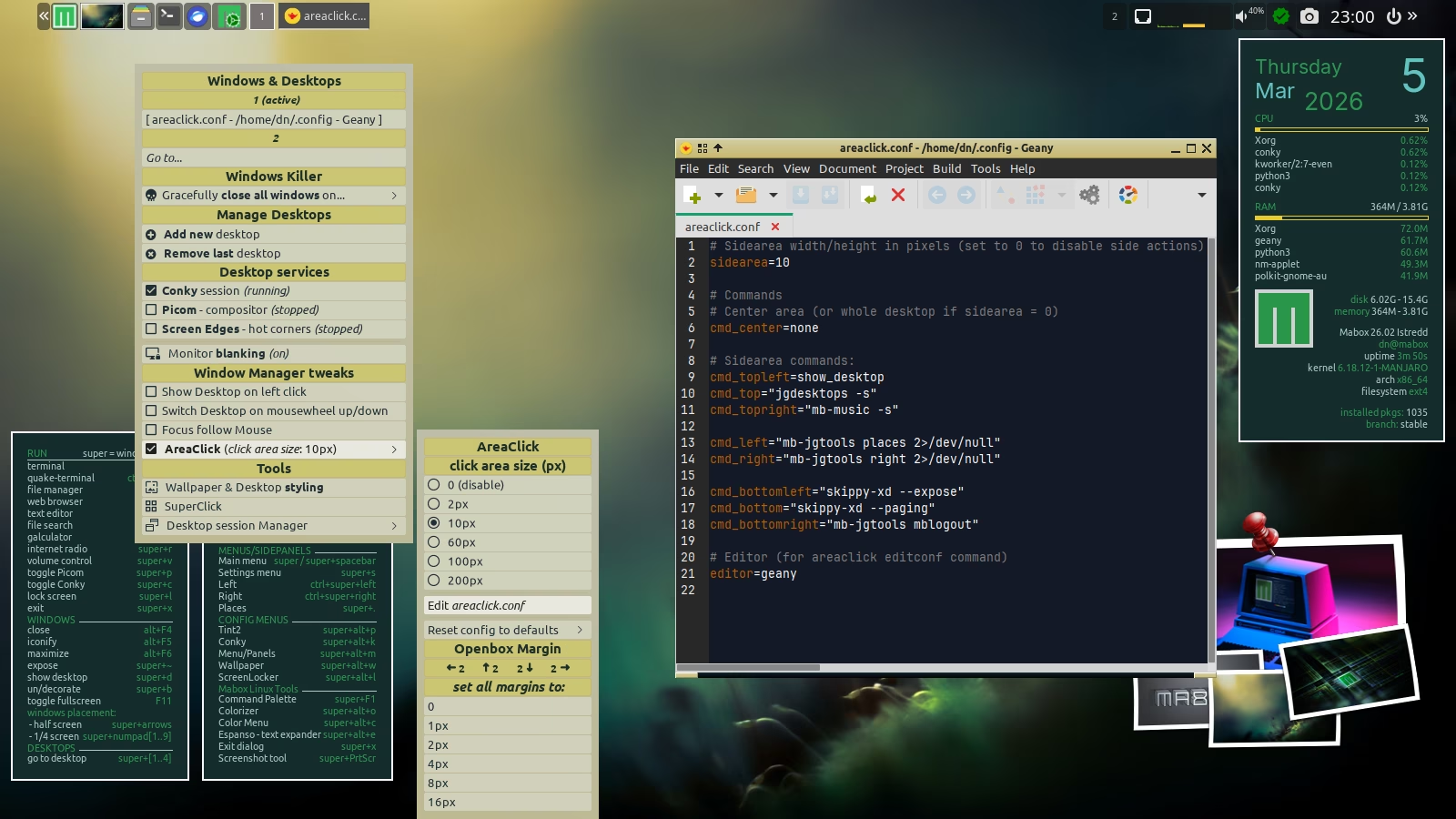
For example… to show/hide the terminal when clicking the top edge of the screen, edit the line: cmd_top=
cmd_top="mabox-terminal"
Now, clicking the top edge will alternately show or hide the terminal. (Same action as already assigned to: F12 or mouse wheel on the terminal icon in the panel.)
Mabox is often installed on aging laptops/PCs intended for non-technical users. Such unusual features can be intimidating for these users, so…
How to disable AreaClick actions?
To disable AreaClick, simply set the click area size to 0. You can also set the Openbox window manager margins to zero – by default they are set to 2 px to prevent windows from covering the edges of the screen.
Note!
Even when you disable mouse actions, you can still use keyboard shortcuts… to run configured commands. W-A-1..9
This post is the first in an upcoming series about Mabox’s unique features and tools.